
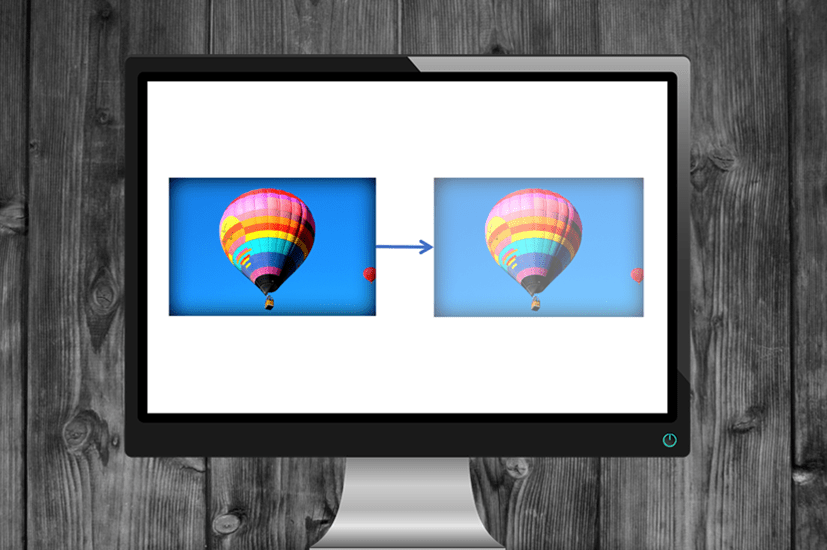
How to Make a Picture Transparent in PowerPoint (3 Ways)
Make a Picture Transparent in PowerPoint by Avantix Learning Team | Updated September 7, 2023 Applies to: Microsoft® PowerPoint® 2013, 2016, 2019, 2021 and 365 (Windows) You can make a picture transparent or semi-transparent in PowerPoint in 3 ways. If you want to...
How to Run a PowerPoint Slide Show Automatically (Set Up a Self-Running Presentation)
Easily Create a Self-Running PowerPoint Slide Show by Avantix Learning Team | Updated November 12, 2021 Applies to: Microsoft® PowerPoint® 2013, 2016, 2019 and 365 (Windows) You can set up self-running PowerPoint slide shows to run automatically at trade shows,...
How to Turn Off Automatic Text Resizing in PowerPoint
Stop Automatic Text Resizing in PowerPoint Placeholders or Text Boxes by Avantix Learning Team | Updated January 25, 2026 Applies to: Microsoft® PowerPoint® 2016, 2019, 2021, 2024 and 365 (Windows) You can turn off or stop automatic text resizing in PowerPoint by...
PowerPoint Slide Show Shortcuts (50+ Keyboard Shortcuts)
Deliver a PowerPoint Presentation in Slide Show or Presenter View using Keyboard Shortcuts by Avantix Learning Team | Updated June 17, 2024 Applies to: Microsoft® PowerPoint® 2016, 2019, 2021 and 365 (Windows) You can use PowerPoint keyboard shortcuts when you are...Follow Us


