


How to Lock Cells in Excel (3 Ways)
Easily Lock Cells in Excel Worksheets by Avantix Learning Team | Updated June 26, 2026 Applies to: Microsoft® Excel® 2016, 2019, 2021, 2024 or 365 (Windows) It's easy to lock cells in Excel to protect data or formulas. This is typically a two-step process. First,...
How to Stop or Control Green Error Checking Markers in Excel
Turn Off or Customize Error Checking Options (and Markers) in Excel by Avantix Learning Team | Updated June 26, 2026 Applies to: Microsoft® Excel® 2016, 2019, 2021, 2024 and 365 (Windows) In Microsoft Excel, errors are flagged by default with a small green marker or...
How to Password Protect Your Excel Worksheets and Workbooks
Protect Worksheets and Workbooks in Excel by Avantix Learning Team | Updated January 25, 2026 Applies to: Microsoft® Excel® 2016, 2019, 2021, 2024 or 365 (Windows) You can password protect worksheets and workbooks in Excel. If you want to prevent other users from...
How to Insert a Check Mark or Tick Mark in Google Slides (3 Ways)
Insert or Type a Check Mark or Tick Mark Symbol in Google Docs by Avantix Learning Team | Updated May 18, 2022 Applies to: Google Slides® (Windows) You can insert or type a check mark or tick mark symbol in a Google Slides presentation in several ways. Check marks can...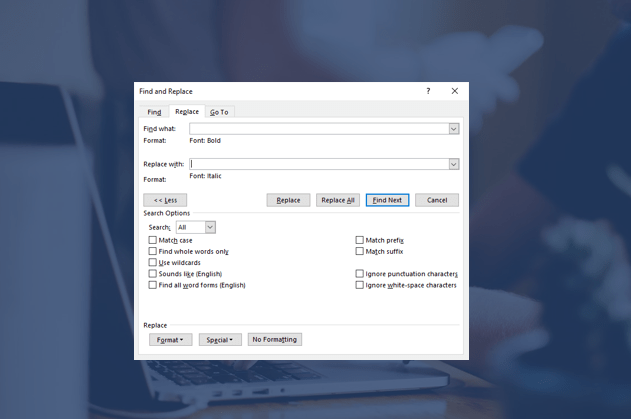
How to Find and Replace Formatting in Word (such as Bold, Italic and Font)
Use Find and Replace to Change Formatting in Microsoft Word Documents by Avantix Learning Team | Updated May 13, 2022 Applies to: Microsoft® Word® 2013, 2016, 2019, 2021 or 365 (Windows) You can find and replace formatting in Word by searching for specific formatting,...Follow Us


