

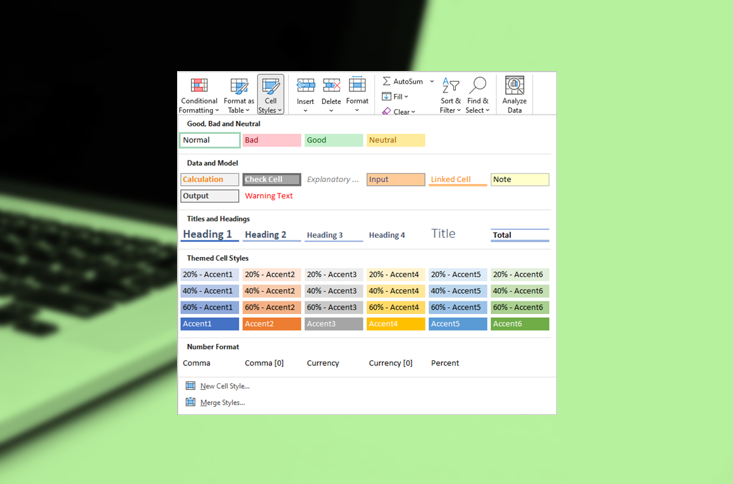
How to Use Cell Styles in Excel to Save Time Formatting
Create, Apply and Modify Cell Styles to Save Time Formatting in Excel by Avantix Learning Team | Updated April 8, 2022 Applies to: Microsoft® Excel® 2013, 2016, 2019, 2021 and 365 (Windows) You can apply cell styles in Excel worksheets to quickly format cells in a...
How to Double Space in Word (4 Ways with Shortcuts)
Double Space Lines in Microsoft Word Documents by Avantix Learning Team | Updated January 25, 2026 Applies to: Microsoft® Word® 2016, 2019, 2021, 2024 and 365 (Windows) You can double space in Word using the Ribbon, the Paragraph dialog box, a keyboard shortcut or by...
How to Align or Justify Text in Word (4 Ways with Shortcuts)
Apply Left, Center, Right or Justify Alignment to Text in Microsoft Word by Avantix Learning Team | Updated February 5, 2026 Applies to: Microsoft® Word® 2016, 2019, 2021, 2024 and 365 (Windows) You can align or justify text or other content in Word in several ways...
How to Show or Unhide the Quick Access Toolbar in Word, Excel and PowerPoint
Display the Quick Access Toolbar and Change Its Position by Avantix Learning Team | Updated April 9, 2022 Applies to: Microsoft® Excel® 2021 and 365 (Windows) In 2021 and 365 versions of Word, Excel and PowerPoint, you now have the ability to hide or unhide the Quick...
5 Ways to Insert or Type the Square Root Symbol (√) in PowerPoint (with Shortcuts)
Insert the Square Root Symbol in PowerPoint Presentations by Avantix Learning Team | Updated September 11, 2024 Applies to: Microsoft® PowerPoint® 2016, 2019, 2021 and 365 (Windows) You can insert or type the square root symbol in PowerPoint presentations using...Follow Us


