


How to Show or Unhide the Quick Access Toolbar in Word, Excel and PowerPoint
Display the Quick Access Toolbar and Change Its Position by Avantix Learning Team | Updated April 9, 2022 Applies to: Microsoft® Excel® 2021 and 365 (Windows) In 2021 and 365 versions of Word, Excel and PowerPoint, you now have the ability to hide or unhide the Quick...
5 Ways to Insert or Type the Square Root Symbol (√) in PowerPoint (with Shortcuts)
Insert the Square Root Symbol in PowerPoint Presentations by Avantix Learning Team | Updated September 11, 2024 Applies to: Microsoft® PowerPoint® 2016, 2019, 2021 and 365 (Windows) You can insert or type the square root symbol in PowerPoint presentations using...
How to Insert or Type the Delta Symbol in Excel (7 Ways to Insert Δ or δ)
Insert or Type the Delta Symbol in an Excel Worksheet by Avantix Learning Team | Updated June 27, 2026 Applies to: Microsoft® Excel® 2016, 2019, 2021, 2024 and 365 (Windows) You can insert or type the Delta symbol in Excel worksheets using built-in commands or...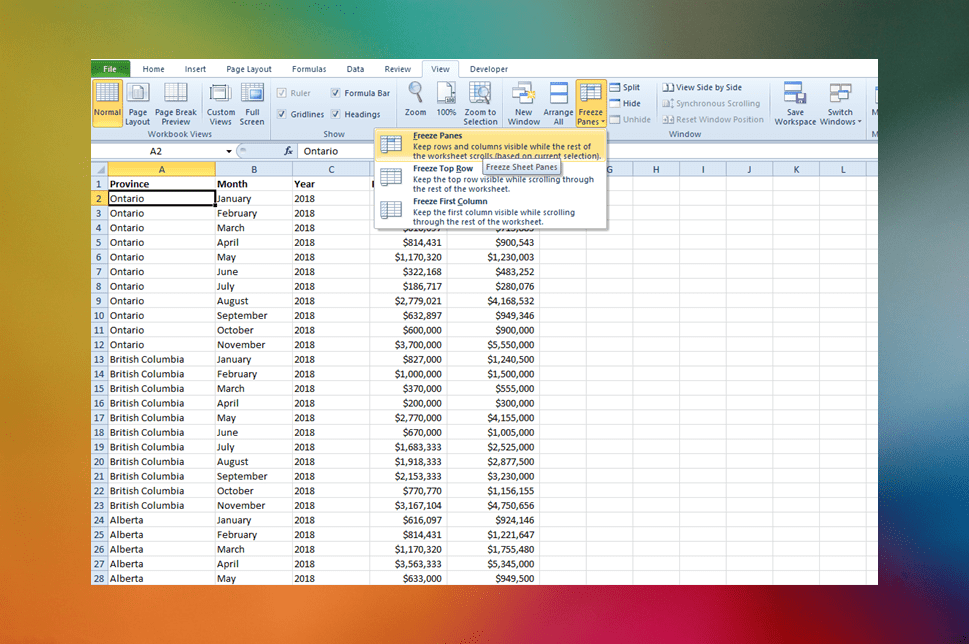
How to Freeze Row and Column Headings in Excel Worksheets
Easily Freeze Row and Column Headings in Excel by Avantix Learning Team | Updated June 27, 2026 Applies to: Microsoft® Excel® 2016, 2019, 2021, 2024 and 365 (Windows) As many Excel worksheets can become quite large, it can be useful to freeze row and column headings...
How to Insert or Type the Degree Symbol in Excel (5 Ways to Insert °)
Insert the Degree Symbol in Microsoft Excel by Avantix Learning Team | Updated February 27, 2026 Applies to: Microsoft® Excel® 2016, 2019, 2021, 2024 and 365 (Windows) You can insert or type the degree symbol in Excel using built-in commands, keyboard shortcuts or a...Follow Us


