
Microsoft Office Articles | Avantix Learning

10 Great Excel Pivot Table Shortcuts
Check out these 10 great Excel pivot table keyboard shortcuts. You can use standard shortcuts using the Control key or use Alt to access the Ribbon and create pivot tables in different ways.

How to Extract All Video or Audio Files from a PowerPoint Deck
If you want to extract embedded video or audio files from a Microsoft PowerPoint deck, you can extract them by converting the presentation to a zip file type.

How to Keep Text Together in Word (Paragraphs, Lines or Words)
You can keep text together in several ways in Word. If you want to keep words or characters together, you can use nonbreaking spaces or nonbreaking hyphens or dashes and insert them using a dialog box or a keyboard shortcut. If you want to keep lines or paragraphs together on the same page, you can apply settings in the Paragraph dialog box (which can be built into styles if you use styles).
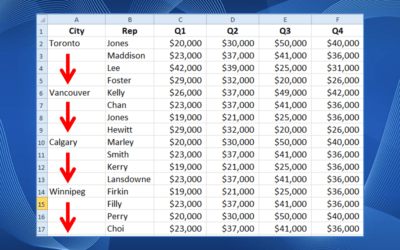
How to Fill or Replace Blank Cells in Excel with a Value from a Cell Above
You can fill or replace blank cells in Excel with a value from a cell above using a few great Excel tricks. The data may have been imported from an external source or formatted this way by a client or colleague for readability but the blank cells are a problem if you want to sort, filter or summarize the data.
How to Turn Off Automatic Text Resizing in PowerPoint
PowerPoint's Autofit feature is set to automatically resize text in text boxes or placeholders. To stop this, you can turn off Autofit settings for all PowerPoint presentations on your computer or for a specific text box or placeholder.

10 Ways to Save Time Selecting in Excel using the Name Box
You can save a lot of time selecting in Microsoft Excel using the Name Box. The Name Box is located to the left of the Formula Bar in Microsoft Excel. You can enter directly in the Name Box to quickly select cells or even objects.
How to Export PowerPoint Handouts to Microsoft Word
It's easy to export handouts from Microsoft PowerPoint presentations to Word. If you decide to export handouts to Word, you'll be able to edit the handouts and add other information.

10 Useful Microsoft Access Shortcuts When You're Working with Controls on Forms and Reports
Check out these great shortcuts for manipulating controls in Design View in both forms and reports in Microsoft Access.

How to Stop or Control Microsoft Access Error Checking Markers
In Microsoft Access, small green error markers may appear in Design View in forms and reports for a number of reasons. You can turn error checking off completely or set the rules you prefer.

How to Break, Update or Change Links to Excel Charts or Worksheets in PowerPoint
If you want to break, update or change links to Excel charts or worksheets in PowerPoint, you'll need to use the Edit Links to Files command. Unfortunately, this command is difficult to find. To make it easier to access, you can add Edit Links to Files to PowerPoint's Quick Access Toolbar.

10 Excel Data Entry Tricks and Shortcuts Every User Should Know
Check out this great list of Excel data entry tricks and shortcuts to save time in your worksheets.
How to Insert Reusable Text Snippets in Word with Quick Parts (Great Timesaver)
Microsoft Word's Quick Parts can be used to automatically add repetitive words, paragraphs, statements, images or logos into Word documents …

Excel Shortcuts for Filtering Data (10+ Keyboard Shortcuts)
You can turn on Filter or AutoFilter in Excel for data sets / lists and tables and easily filter and sort data using a mouse or keyboard shortcuts. When you first turn on Filter, arrows appear in the header row for each field with a drop-down menu. You can then use keyboard shortcuts to select different filter options from the Filter menus.
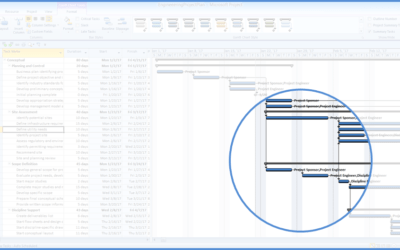
10 Microsoft Project Shortcuts to Zoom and Move Quickly in the Gantt Chart Timescale
Zoom in, out and move using these great shortcuts in the Microsoft Project Gantt Chart timescale. The timescale in the Gantt Chart view appears on the right side and displays units of time.

How to Add a Timeline in Microsoft Excel to Filter Pivot Tables by Date
In newer versions of Excel, you can filter pivot tables by date periods using a timeline tool. You can combine timelines with slicers to filter in different ways and you can also zoom in on specific date periods.
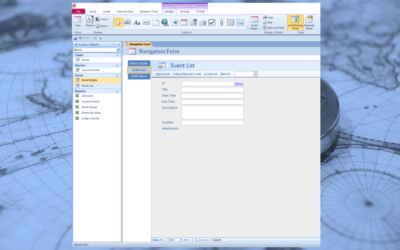
How to Create a Navigation Form in Microsoft Access
In newer versions of Microsoft Access, you can create a new type of form called a navigation form which includes one or more navigation controls.
How to Easily Export Microsoft Access Data to Excel
Microsoft Access includes an export wizard that can be used to export tables, queries, forms or reports easily to Excel. It's common to have many users in an organization using Excel so data in Excel format can work well.

How to Use the Eyedropper in PowerPoint to Match Colors
In newer versions of PowerPoint, you can match colors by picking up and applying specific colors from a picture on a slide or even on a web site using the Eyedropper.

25 Microsoft Access Shortcuts to Save Time in Tables in Datasheet View
Check out these 25 keyboard shortcuts when you're working in Access tables in Datasheet View.

10 Microsoft Access Navigation Pane Keyboard Shortcuts
There are many keyboard shortcuts that can be used in the Microsoft Access Navigation Pane. The four basic objects that appear in the Navigation Pane are tables, queries, forms and reports.

10 Great PowerPoint Drawing Tricks and Shortcuts
Check out these great PowerPoint drawing tricks and shortcuts that can really save you time.
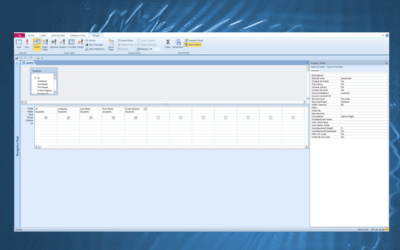
10 Microsoft Access Tips for Creating Select Queries
There are a number of ways of working efficiently in select queries to get the results you want and save some time. You can also use many of these tips in other types of queries.
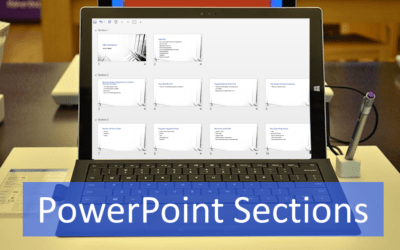
How to Use Sections in PowerPoint to Organize Slides
You can manage a PowerPoint presentation by organizing it into sections. Although you can work with sections in Normal View or Slide Sorter View, it's easier to work with sections in Slide Sorter View. You can insert, name, move, collapse, expand and remove sections in PowerPoint. If you are working with a team on a large presentation, you can assign team members to different sections. You can also use Summary Zoom in PowerPoint 2019 or 365 to create links to different sections.

10 Microsoft Word Shortcuts for Moving Around in Tables
If you work a lot with tables in Microsoft Word, it's helpful to learn to move around quickly using your keyboard. Check out this list of helpful keyboard shortcuts to speed up navigating in tables.
To request this page in an alternate format, email our staff at info@avantixlearning.ca
Microsoft, the Microsoft logo, Microsoft Office and related Microsoft applications and logos are registered trademarks of Microsoft Corporation in Canada, US and other countries. All other trademarks are the property of the registered owners.
Avantix Learning | 1 Yonge Street, Suite 1801 (Toronto Star Building), Toronto, Ontario, Canada M5E 1W7 | info@avantixlearning.ca