
Microsoft Office Articles | Avantix Learning

10 Timesaving Shortcuts in Microsoft Access
Save time in Microsoft Access using these great keyboard shortcuts. We're assuming you're already using standard shortcuts like Ctrll + P to print, Ctrl + S to save and Ctrl + C to copy.

15 Microsoft Excel Keyboard Shortcuts to Speed Up Formatting
Check out these great Microsoft Excel keyboard shortcuts for formatting. You can apply currency, number, date and other formats using your keyboard.

5 Reasons You May Want to Try Microsoft Publisher
Publisher Offers a Low Cost Alternative for Designing Business Cards, Brochures, Flyers and Other Publications by Avantix Learning Team | Updated September 23, 2020 Applies to: Microsoft® Publisher® 2010, 2013, 2016, 2019 and 365 (Windows) Microsoft Publisher is an...

How to Hide Excel Formulas in Excel
It's not difficult to hide formulas in Excel worksheets. Perhaps you don't want a client to see the markup added to the final total or a commission calculation or you simply don't want others to see your formulas. Simply select the cell(s) with the formulas you want to hide …
How to Find the Differences Between Two Versions of a PowerPoint Presentation
Comparing Versions of a Presentation by Avantix Learning Team | Updated November 15, 2014 Applies to: Microsoft® PowerPoint® 2010 and 2013 PowerPoint 2010 and 2013 include a useful Compare command which enables you to compare two different copies of a presentation,...

15 Useful Formatting Shortcuts in Microsoft Publisher
Save Time Using These Formatting Tricks by Avantix Learning Team | Updated September 23, 2020 Applies to: Microsoft® Publisher® 2010, 2013, 2016, 2019 and 365 (Windows) You can save a lot of time using these formatting shortcuts in Microsoft Publisher and you can use...

Simple Strategies to Show Trends in Excel (Part 3: Using AutoFill)
In Microsoft Excel, you have the ability to use AutoFill to automatically generate future values as a simple linear trend or an exponential growth trend.
Simple Strategies to Show Trends in Excel (Part 2: Adding Trendlines in Charts)
In Microsoft Excel, you have the ability to add one or more trendlines to a chart and to project future results.
Simple Strategies to Show Trends in Excel (Part 1: Sparklines)
You can use sparklines to display trends visually in Microsoft Excel. Sparklines are miniature charts that you can display in cells, usually immediately to the right of the data you wish to summarize.

10 PowerPoint Slide Show Tips and Tricks
You can use several PowerPoint tips and tricks when you are running a slide show. For example, you can show all slides, zoom in during a show, switch to Presenter View or even highlight an area on a slide.

Create Shortcuts in Word for Keep with Next and Keep Lines Together
Create your own keyboard shortcuts for Keep with Next or Keep Lines Together in Microsoft Word without programming. You can write your own keyboard shortcuts by customizing Word through the Options dialog box. You don't need to program in VBA (Visual Basic for Applications).

10 Excel Selection Shortcuts to Save Time in Your Worksheets
Save time in Microsoft Excel with these great selection shortcuts. You can use mouse and keyboard shortcuts to quickly select cells, ranges, columns and rows in Excel.

10 Word Tips and Tricks Every User Should Know to Work Efficiently
Check out this great list of tips and tricks using hidden features in Microsoft Word. There are a lot of features in Word that are buried a little deeper in the program and many users have no idea where to find them or that they are available in Word.
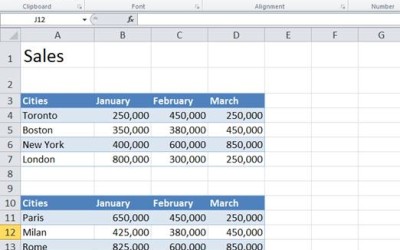
10 Great Excel Navigation Shortcuts to Move Around in Workbooks
In Microsoft Excel, you can save lots of time if you can move around quickly in your worksheets and workbooks. You can use keyboard shortcuts to jump to the beginning or end of your worksheet and move up or down by ranges of data. In this article, we've put together a great list of navigation shortcuts to help you be more productive with Excel.

7 PowerPoint Shortcuts to Select Objects and Save Time
Check out these great PowerPoint shortcuts to select objects and slides.
Getting Started with Windows 8
10 Tips for New Users Article by: Sandra Linton | Bio Original post: April 4, 2014 For those just upgrading to Windows 8 or higher, there are a few tips and techniques that should help you adapt. There's a new touch Start screen with Windows 8-style apps...
To request this page in an alternate format, email our staff at info@avantixlearning.ca
Microsoft, the Microsoft logo, Microsoft Office and related Microsoft applications and logos are registered trademarks of Microsoft Corporation in Canada, US and other countries. All other trademarks are the property of the registered owners.
Avantix Learning | 1 Yonge Street, Suite 1801 (Toronto Star Building), Toronto, Ontario, Canada M5E 1W7 | info@avantixlearning.ca