
Microsoft Word: Power User
Microsoft Word Training Series | Level 3
Course Details
Please note this course is no longer being offered in this format.
VIEW AVAILABLE MICROSOFT WORD COURSES >
INCLUDED IN OUR COURSES
- Comprehensive course manual
- Keyboard shortcuts quick reference
- Sample and exercise files
- Refreshments (for classes conducted in Avantix Learning classrooms)
- Certificate of completion
- Follow-up email support
Copyright 2026 Avantix® Learning

Custom training
Register now for a public scheduled course or contact us to discuss custom on-site or off-site training options.
Related courses
Microsoft Word: Intermediate / Advanced
Microsoft Word: Designing Accessible Documents | Introduction
Microsoft Word: eBook Design, Publishing and Distribution
Microsoft PowerPoint: Intermediate / Advanced
Word Articles
You may also like
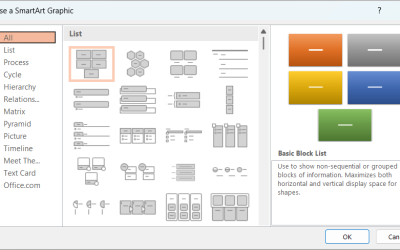
How to Insert SmartArt in PowerPoint (5 Ways)
Insert and Edit SmartArt Graphics in PowerPoint by Avantix Learning Team | Updated September 2, 2026 Applies to: Microsoft® PowerPoint® 2019, 2021, 2024 and 365 (Windows) SmartArt graphics are pre-defined graphics that are treated as one object and follow the document...
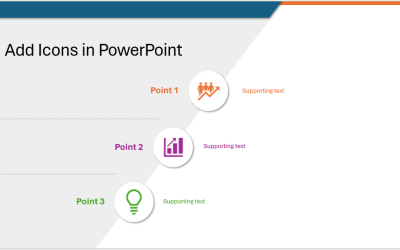
How to Insert and Format Icons in PowerPoint
Make Presentations More Engaging Using PowerPoint's Built-in Icons by Avantix Learning Team | Updated March 4, 2026 Applies to: Microsoft® PowerPoint® 2019, 2021, 2024 and 365 (Windows) You can insert icons in PowerPoint using Microsoft's built-in Stock Images which...

How to Highlight or Draw on PowerPoint Slides During a Slide Show
Use the Pen or Highlighter Tools to Draw on a Slide During a PowerPoint Slide Show (Create Ink Annotations) by Avantix Learning Team | Updated January 26, 2026 Applies to: Microsoft® PowerPoint® 2019, 2021, 2024 and 365 (Windows) You can access PowerPoint's ink...
Microsoft, the Microsoft logo, Microsoft Office and related Microsoft applications and logos are registered trademarks of Microsoft Corporation in Canada, US and other countries. All other trademarks are the property of the registered owners.
Avantix Learning | 1 Yonge Street, Suite 1801 (Toronto Star Building), Toronto, Ontario, Canada M5E 1W7 | info@avantixlearning.ca